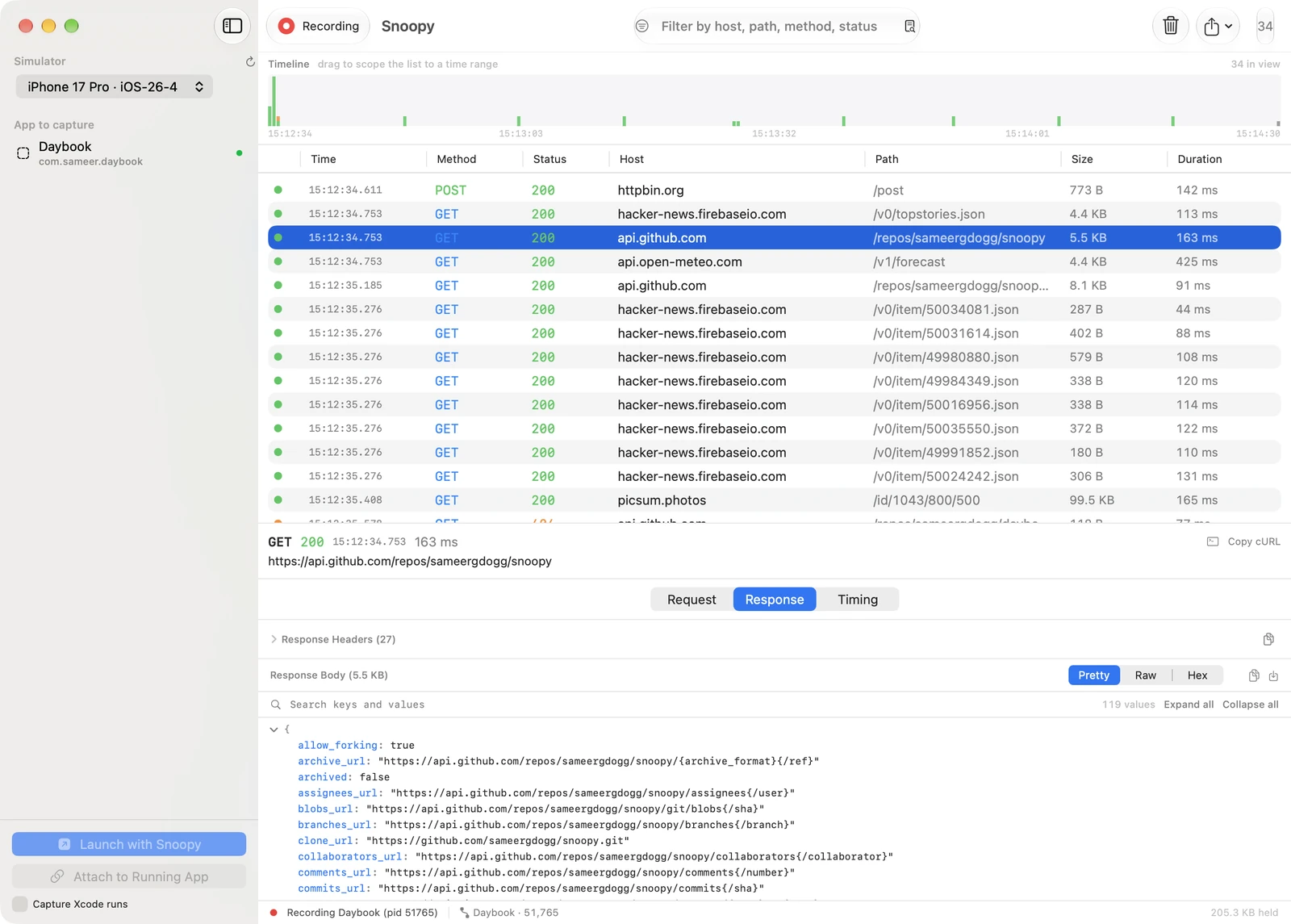
Snoopy is a Mac app that shows every network request your iOS app makes in the simulator. Pick the app and press Launch. The requests show up as they happen.
Most tools do this with a proxy. You install a root certificate in the simulator and route your whole Mac through the proxy. And the moment an app pins its certificates, you see nothing.
Snoopy doesn't use a proxy. It loads a small library into the app at launch and reads each request from inside the app, before it's encrypted. So certificate pinning doesn't matter, and there's no SDK to add to your app.
What it shows
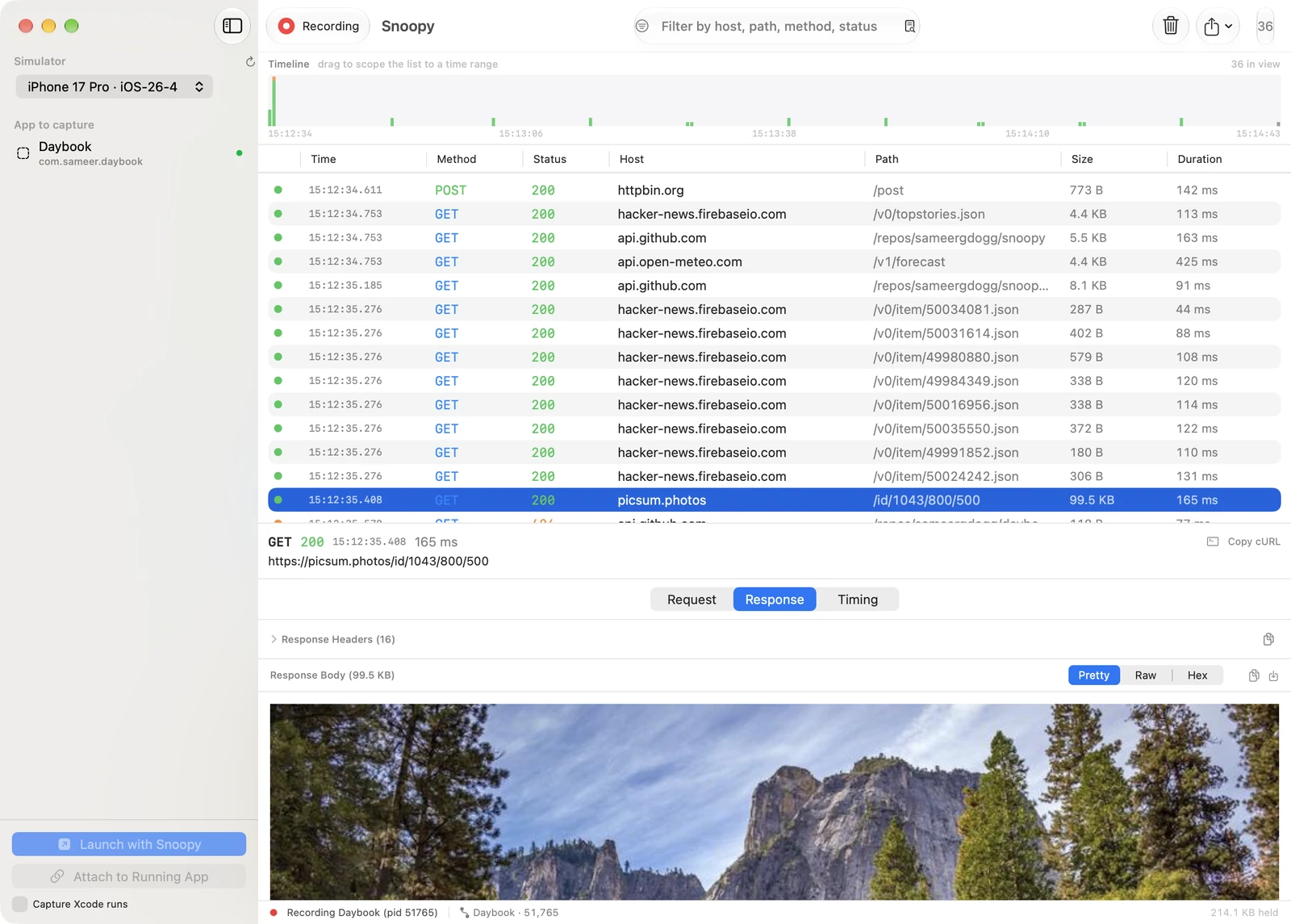
- Every request with its headers and body. JSON opens as a tree you can search.
- Images render as images. Everything else gets raw text or hex.
- A timeline you can drag across to narrow the list down to a few seconds.
- Copy as cURL, HAR export, and sessions you can save and open later.
Apps Snoopy didn't launch
This is the part I wanted most. Usually the app is already running from Xcode or Bazel, and relaunching it just to look at the network loses whatever state I was debugging.
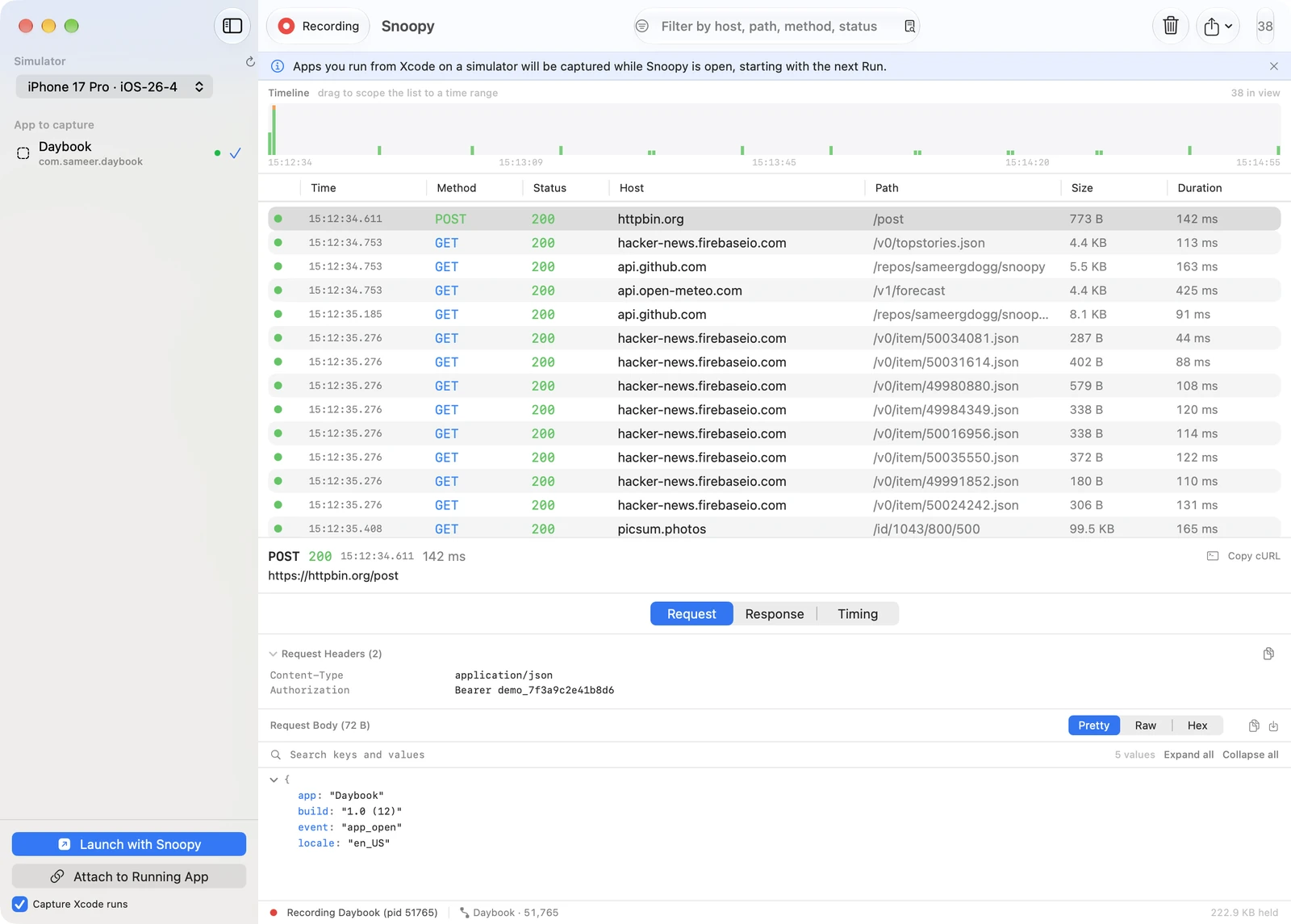
- Attach to Running App loads Snoopy into an app that's already open. It takes about a second.
- Capture Xcode runs picks up every app you run from Xcode. No scheme changes. Tick it once and leave it.
Export for an agent
I use Claude for a lot of my debugging now, and a 2 MB HAR file is the wrong thing to hand it. So Snoopy can export a capture as a folder instead. A short summary that leads with failures and slow calls, one line of JSON per request, and every body in its own file.
snoopy-export-20260919-141710/
  summary.md          24 KB
  exchanges.jsonl     96 KB
  bodies/            1.9 MB, one file per body
The agent reads the summary and opens the two or three bodies it needs. Tokens and cookies in headers and URLs are redacted by default. Bodies aren't, so check before you share one.
Try it
Snoopy is free and open source under MIT. Download the DMG. It's notarized and updates itself. The code is on GitHub.
For now it only sees URLSession traffic, so WKWebView and custom networking stacks won't show up. That's next on the list. If you try it, let me know what breaks.